
AICreativa Music Player

A modern, innovative audio player for WordPress.
Three skins, real waveform analysis, a live frequency analyzer, custom colours
and drag-and-drop ordering —from a single shortcode. Lightweight, and free.
The audio player built for music people
AICreativa Music Player gives DJs, producers and labels a professional
dark-themed player with waveform analysis, playlists, artwork and a BUY button.
No page builder required, no bloat, no monthly fee.
⠇
1
 —
—
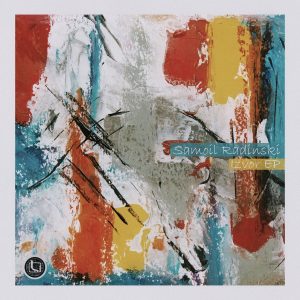
Orchestra - G-Prod remix
Samoil Radinski (Logos Recordings)
⠇
2
—
Vibration
Samoil Radinski (Logos Recordings)
⠇
3
—
Define - Subotika remix
Samoil Radinski (Logos Recordings)
Why not just use the core Playlist block?
WordPress 7.1 adds a playlist block with a waveform. It is a good addition, and
for a simple list of audio files it may be all you need.
This plugin is for the case where the player is the release: your artwork,
your colours, your store link, a real frequency analyzer, and a bar that follows
the listener while they browse the rest of your site.
| Core Playlist block | AICreativa Music Player | |
|---|---|---|
| Waveform | Yes | Yes, read from the actual file |
| Live frequency analyzer | — | Logarithmic, tilt-compensated, with sensitivity control |
| Docked bottom bar | — | Yes, playback continues while browsing |
| BUY link per track | — | Bandcamp, Beatport, Traxsource or your own store |
| Colour control | Theme palette | Every shade derived from your background |
| Shuffle and repeat modes | — | Yes |
| Play and download statistics | — | Yes, aggregate only |
| Media Session / lock screen | — | Yes, including car Bluetooth |
Three skins, one shortcode
Choose the look that fits the page. No setup — just add skin="2".
Skin 1 — inline player
Sits exactly where you place the shortcode. Built for release pages, posts and portfolios.
Skin 2 — docked bottom bar
A slim full-width bar fixed to the bottom of the window while visitors browse. A single line on desktop, a stacked layout on mobile. Tap the artwork to zoom
the cover.
Skin 3 – promo pleyer
Is the promo player: a playlist with a feedback form, a download on every track and no BUY button. Set it up under Promo player, and see Sending a promo below.
Features
Playback
- Three skins — inline player, or a slim bar docked to the window or promo player
- Previous, play, next, shuffle, and repeat (off / one / all)
- Media Session support — lock-screen artwork and hardware media keys,
including car Bluetooth - Drag-and-drop track reordering, in the admin builder and on the front end
Sound and visuals
- Real waveform analysis — the actual amplitude of your file, read in the
browser with the Web Audio API - Live frequency analyzer — logarithmic frequency mapping, spectral tilt
compensation and peak-hold, with a sensitivity control - Arc knobs for volume and sensitivity — drag, scroll, or double-click to reset
- Custom artwork with click-to-zoom cover
Design
- Custom colours — every shade in the player is derived from your background,
so light themes work as well as dark - Adjustable width, 400 to 1400 pixels
- Inter typeface throughout, with a switch to avoid the external font request
Selling and measuring
- Download button and BUY link — Bandcamp, Beatport, Traxsource, or your own
store - Statistics dashboard — plays, completions and downloads per track. Aggregate
only; no visitor tracking
Formats
- MP3, WAV, FLAC and OGG
Shortcodes:
- Single track
[aicmp_track id="X"] - Playlist
[aicmp_playlist id="X"] - Either one, docked to the bottom
skin="2"
One-click shortcode copy in the editor.
How it works
- Install and activate from the WordPress plugin directory.
- Go to AICreativa Music Player → Add Track. Enter the title and artist or
label, upload your audio (or paste an external MP3 URL), and add square
artwork for the best layout. - Add a BUY link if you sell the track.
- Publish, then copy the shortcode from the sidebar.
- Paste it into any page, post or Custom HTML block.
Building a playlist: go to Add Playlist, click + to add tracks, drag
the rows to set the order, publish, and embed the playlist shortcode anywhere.
Works with Gutenberg, Elementor, Divi, Beaver Builder and Blocksy.
Built by someone who releases records
This is not a generic media tool with an audio skin. It is built around how a
release is actually presented: artwork first, colours matched to the record,
and a direct path from listening to buying.
Match the palette to your latest cover or your label identity — from dark
techno restraint to high-contrast layouts — and point listeners to Bandcamp,
Beatport, Traxsource or your own store with one click.
What’s new in 3.6
Every colour follows your background. Pick a light background and the
waveform, borders and placeholders adapt instead of staying near-black.
Redesigned controls. Flat transport icons, arc knobs for volume and
sensitivity, and a waveform roughly a third longer on the docked bar.
A new default palette — cyan accent, near-black background, soft blue
titles.
Rebuilt Settings and Dashboard, with every field explained and a statistics
overview on the first screen.
Free, and community supported
Every artist deserves good tools to present their work, which is why this
plugin is free to download and use. No hidden fees, no locked features.
Building and maintaining it takes time. If the player helps your workflow or
your sales, a donation keeps the updates coming — or simply buy a track, EP or
album from the label.
Plugin info
- Name: AICreativa Music Player
- Version: 3.6
- Price: Free — donations welcome
- Author: Samoil Radinski / AICreativa
- Website: aicreativa.mk
- License: GPL v2 or later
Available from WordPress Admin → Plugins → Add New, search for AICreativa Music Player.
AICreativa Music Player is developed by Samoil Radinski / AICreativa